


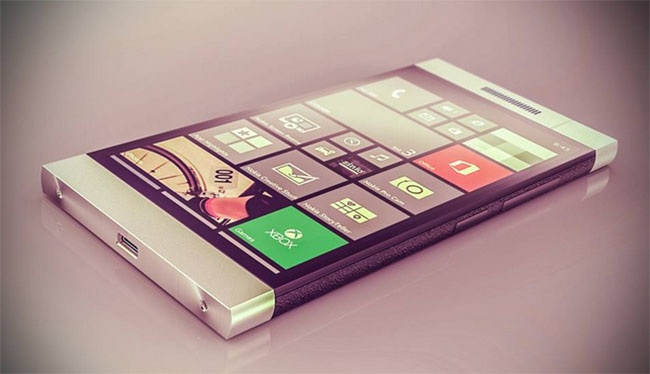
Microsoft has finally developed a store that combines the apps of both Windows store and Windows Phone store into an all-inclusive app shopping mall. The new universal app store is developed to combine the experience of Windows 10 across all devices including PCs, tablets and mobile phones. Before that the PC users have to browse Windows store for app related to it while for Phone user has to rely on Windows Phone store for apps related to it. Now the one-stop has been initiated to unify the apps for everyone.

Microsoft offers a one-stop-solution for developing and downloading apps from new Universal App store.
Offering a common experience to every user is the focal point of Microsoft next OS strategy. With the universal app, developers can develop an app with using the same core programming code and simply tweak it to run across PCs, tablet and phones. This process will surely make development more cost effective and less expensive, encouraging developers to create more apps for both Windows PCs and mobile devices. On the other hand, the users could benefit by having a large variety of apps available no matter what device they use.
But the question to ponder over is how will it benefit Microsoft? As we know that the PC market is in slump and alsoMicrosoft isdesperate to jumpstart its mobile phone division, the company needs to rely on universal apps and Windows 10 in general to accelerate sales. A user who uses and likes Windows 10 features and apps on a PC or tablet can get convinced to purchase Windows 10 mobile phone to get a similar experience. It may be a long shot, but it’s the best hope Microsoft has at this point to generate greater demand among PC and mobile phone buyers.
The Universal app homepage will let you see top apps of Windows apps and Windows Phone apps. You can open and drill down to apps and then view all apps by clicking on the store menu of the apps. You can also find the app by placing the name at the search button at the top of the page.
Clicking the name of a specific app brings up its description page where you’ll see details along with the ratings and reviews. For now, the new universal app store seems like a work in progress. You can browse or search for apps through the store but you can also install apps from the website. To install apps for now, you still need to open the Windows Store on a Windows 8.1 or Windows 10 device or the Windows Phone Store on a Windows Phone handset.
In the end, Microsoft needs to make that facility more user friendly and reachable if it wants to reap its benefits to the fullest extent.
Related News
 Microsoft Paint ‘Won’t be Dead’ in Windows Store
 Microsoft Lumia 535 Specifications and Features Hitting the Market with Microsoft Branding
 Microsoft Is Eyeing The Snapdragon 1000 For All Future Devices
 PTCL Launches New ChaJi EvO LTE Tablet.
 Apple Announces iPad Air 2, the World Thinnest Tablet
 Microsoft 640XL Is Available For Purchase In Pakistan
 Nokia CEO Plans To Launch Smartphones In 2016
 Lumia 840 Nano and Dual SIM tested in India
