



In order to save interesting and informative webpages, the best thing is to convert it into PDF. Now in Google this can be done without using any extension by Google Chrome. If you want to save a certain webpage open it and click on Chrome’s Menu Button.
This Menu is at the bottom of the Cross Button present at the left side with three lines. There will be Print button and below this there will be Change Button.

On left side a new Menu will open. This List will include Save as PDF. In the next step Save as PDF will be written in place of Print. Click the blue colored Save button.
Then you will be asked where to save your PDF file. Choose your destination folder.
Thus Webpage will be saved with PDF file, which can be shared via Facebook, E-mail and other means or can be saved for future reference.
You can also save long Facebook posts as PDF File.
Related News
 How to Block numbers with Messenger.
 How to apply filters for Google Photo Filters.
 How to restore deleted files.
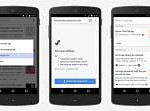 How to read web pages offline with Chrome browser for Android.
 To Do Book on Facebook helps you to keep track of your work.
 Send or receive money through PayPal on Facebook Messenger too!
 Now Play Videos on YouTube without Software and additional extension
 How to post a GIF on Facebook.
