


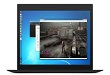
The PlayStation 4 is the most frequently played gaming platform worldwide. That is why people are now looking at how to play it on PC just like the Xbox one which has Windows 10 support for remotely playing games via PC. Also thanks to recent Xbox app and Sony responded with Remote PC Play. For PlayStation 4, you just have to install Remote PC Play in your PC to play games, if you don’t have a Play Station.

In order to start playing game on PC first download and install the official Remote Play app for PC or Mac. Then make sure that PS4 is running software v3.50 via Settings, System Software Update. The next thing is to open PC Remote Play and connect your DualShock 4 controller, log into your PSN account, and lastly select it manually to connect if your PS4 isn’t instantly found.
Sony first outed the news of PS4 now available at PC with Remote PC Play, but mentioned only tidbits which did not bring the whole integrated to us. Initially, that would be with public beta testers, which is coming as a part of PlayStation 4 3.50 system software update whose release date was ambiguous. After months Sony dropped the news that update is available for users and they can now have Remote PC Play support.
The PlayStation 4 3.50 update is rolling out, and once it will hit your console, you can use Remote Play. Head over to the official remote play website and download the application. System Requirements are PC running Windows 8.1 or later. Change your frame rate depending on internet connection, minimum of 5Mb is required.
Resolution options: 360p, 540p, 720p
Default resolution – 540p
Frame rate: Standard (30fps), High (60fps)
Default frame rate – Standard (30fps)
Related News
 How to set up PlayStation 4, PlayStation 4 Pro.
 Subway Surfers becomes the first-ever game on Play Store to reach 1 billion downloads!
 Snapchat users can now play filter games via Face.
 Pokémon Go can drain your battery.
 How to resume when stuck Catching Pokémon.
 How to reset Pokémon Go progress to Level 1.
 Successful Launch of an Action Game “Iron Blade: Medieval Legends” for IOs and Android
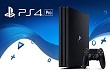 Sony’s new gaming console is play station 4 pro
