


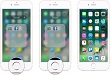
iPhone 7 home button currently looks more of navigational tool that turns back everything to Home. And, secondly, how smartly it opens your handset. Undoubtedly, this is not the only purpose this tech giant’s newest smartphone Home Button serve. There are multiple features for which can be activated via click edit feature. Through this feature users can get a level of feedback we get from Home Button. This feature can be easily accessed while following the steps mentioned below.

Step 1: Go to setting in your device, before clicking on General tab at the top of the icon.
Step 2: Look for Home button tab in the menu and click on it.
Step 3: The tab menu shows choose Your Click menu, where you will find four different types of home button feedback.
Step 4: Press one of the numbered button, and you will one by one find that number 4 is the powerful one and responds more efficiently for feedback.
Step 5: Once you have selected your iPhone 7 Home Button from the menu, press on done and save changes.
Related News
 How to add Fingerprint in iPhone 7.
 How to fix iphone 7 and iphone 7 plus black screen of death?
 How to back up your iPhone before installing iOS 10.3
 Force Restart Feature Has Changed in iPhone 8 and iPhone 8 Plus
 iPhone X will seem to be a bit complicated phone due to lack of home button
 iPhone to Feature Biggest Change: Bye Bye Home Button!
 How to use the iPhone X: Quick Guide, Tips and Tricks
 The Hidden Mouse with iPhone’s Keyboard: Did You Know That?
