



This is proper guide on how you will upgrade your phone to iOS 10 manually. If you are still running the beta version, you can update to final version of iOS 10 by going to Settings > General > Software Update and you will automatically upgraded to final version of iOS 10.
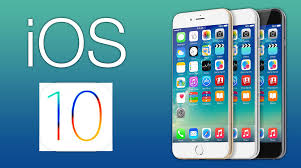
It is certainly very important that you back up your iPhone’s iTunes and iCloud. It is not like previous upgrades requiring huge shifting, but even then you can do it for the sake if something goes wrong.
There has been few changes with how the developer’s account works, where they can download and install the “gold master” version, but necessarily, you need to be on Mac and first download Xcode 8.
- For Xcode 8, go to page and download it.
- Sign in to your developer account if you have already registered there, otherwise register yourself.
- Click download and download Xcode 8.
- Double Click the XIP file and follow the instructions for complete download.
You can also install iOS 10 using iTunes.
- Attach you iOS device to Mac.
- Open iTunes and click for the device.
- Long Press the option Key and click the update button on summary page.
- Again click Restore to get back to iOS device.
- Click the IPSW file downloaded above and click open.
You will get the update, if it is bug free, thumbs up to the work.
Related News
 iPhone 6s and 6s Plus handsets experiencing immediate turn off; users report
 How to back up your iPhone before installing iOS 10.3
 iOS 10.3.2 update for the iPhone/iPad/iPod Touch.
 The new iPhones seem incompatible with data transfer from small-screened old ones.
 How to increase the available storage of iPhone
 Apple will soon let you get rid of Useless Apps
 Apple will live stream its Unveiling Show on September 9.
 Apple Now offers iOS 9 public beta for everyone
